
Introduction
Customer support becomes harder to manage as a business grows. More customers mean more questions, service requests, complaints, and follow-ups. When every request is handled manually, support teams can quickly become overloaded. A large part of this workload often comes from repetitive tasks. Agents may answer the same questions, create tickets, assign requests to the right team, check ticket status, send follow-up messages, and escalate unresolved issues. While these tasks are necessary, they can take time away from more important customer problems.
Customer support automation helps businesses handle these activities more efficiently. Instead of relying on a single technology, businesses can integrate AI chatbots, helpdesk software, workflow automation, CRM systems, and business intelligence tools into a single support process. The result is a support system where simple questions can be answered automatically, tickets can reach the right team faster, and human agents can focus on issues that need their attention.
What Is Customer Support Automation?
Customer support automation is the use of software, AI, and predefined workflows to handle common customer service activities with less manual effort.
It does not mean removing human agents from customer support. Instead, automation takes care of repetitive and rule-based activities while employees handle complex or sensitive issues.
For example, when a customer asks about an order status, an AI chatbot may provide the answer immediately. If the customer reports a technical problem, the system can create a support ticket, identify its category, assign it to the appropriate team, and escalate it if it remains unresolved. This creates a more organized support process while reducing the amount of routine work handled manually by agents.
How Does Customer Support Automation Work?
Customer support automation usually involves several connected steps rather than one standalone tool.
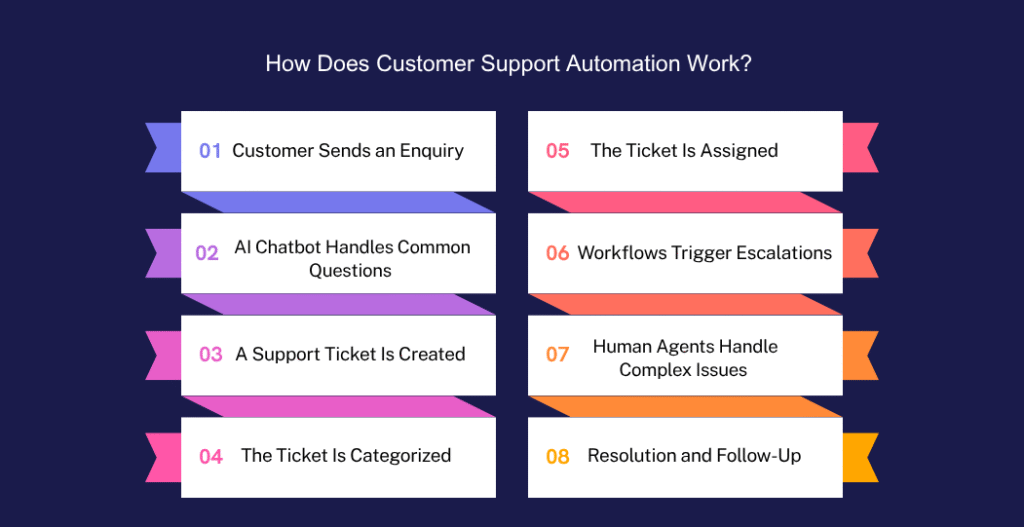
1. Customer Sends an Enquiry
The process starts when a customer contacts the business through a website, chat, email, mobile application, or another support channel.
2. AI Chatbot Handles Common Questions
An AI chatbot can understand common questions and provide instant answers using approved business information.
Customers may ask about:
- Product availability
- Order status
- Business hours
- Return policies
- Account information
- Basic troubleshooting
If the chatbot cannot resolve the issue, it can pass the conversation to the next stage.
3. A Support Ticket Is Created
For issues that require further attention, the system can automatically create a ticket in the helpdesk.
The ticket can include customer information, conversation history, issue description, and other relevant details.
4. The Ticket Is Categorized
Automation rules can identify the type of request, such as billing, technical support, sales enquiry, or account issue.
This reduces the need for agents to manually review every new ticket.
5. The Ticket Is Assigned
Based on the category, priority, customer type, or other rules, the ticket can be automatically assigned to the appropriate employee or department.
6. Workflows Trigger Escalations
If a ticket remains unanswered for a specific period or contains a high-priority issue, an automated workflow can notify a manager or move the ticket to another support level.
7. Human Agents Handle Complex Issues
When an issue needs human judgement, an agent takes over. The agent can see the customer’s previous interactions and ticket details instead of starting the conversation from the beginning.
8. Resolution and Follow-Up
Once the issue is resolved, the system can update the ticket, notify the customer, request feedback, and record the interaction for future reference.
Key Technologies Behind Customer Support Automation
Customer support automation works best when different technologies work together.
AI Chatbots
AI chatbots provide immediate responses to common customer questions. They can operate outside normal business hours and help reduce the number of simple requests reaching support agents.
Helpdesk Software
A helpdesk provides a central place to manage customer tickets. It helps teams track open issues, assign tickets, monitor response times, and maintain support history.
Workflow Automation
Workflow automation connects different actions together.
For example:
New ticket → Categorize → Assign → Set priority → Notify agent → Escalate if delayed
This removes many manual steps from the support process.
CRM Integration
Connecting the helpdesk with a CRM gives support teams access to customer information, previous interactions, sales details, and other relevant records.
This helps agents provide more informed support without switching between multiple systems.
Business Intelligence
Business intelligence tools can turn support data into useful reports and dashboards. Managers can track ticket volumes, response times, resolution rates, recurring issues, and team performance.
Benefits of Customer Support Automation
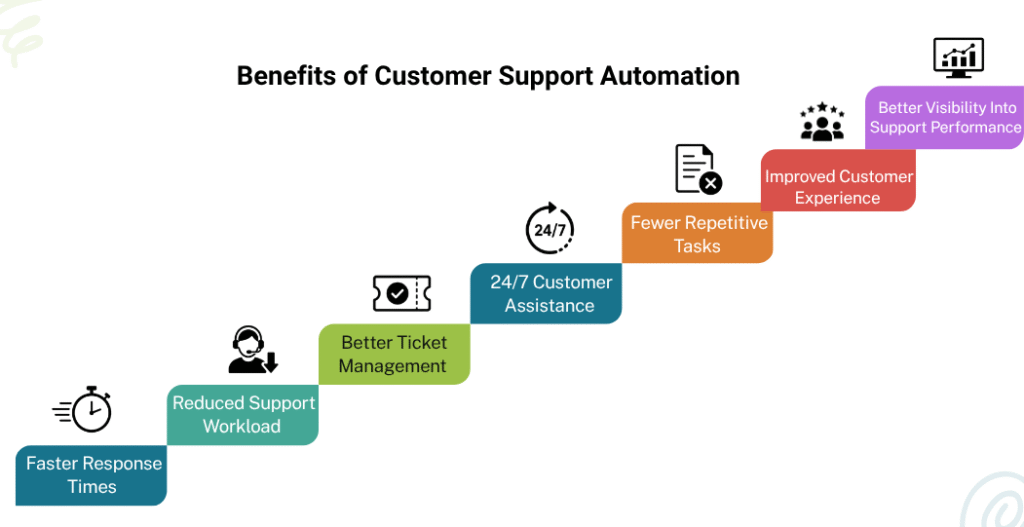
Faster Response Times
Automated responses can handle simple enquiries immediately instead of making customers wait for an available agent.
Reduced Support Workload
When repetitive questions and administrative tasks are automated, support teams have more time to focus on complex customer problems.
Better Ticket Management
Automatic categorization, routing, prioritization, and tracking make it easier to manage large numbers of support requests.
24/7 Customer Assistance
AI chatbots and automated workflows can continue handling basic enquiries outside normal working hours.
Fewer Repetitive Tasks
Agents spend less time copying information, assigning tickets, sending routine notifications, and answering the same questions repeatedly.
Improved Customer Experience
Customers get faster answers, clearer updates, and more consistent support across different channels.
Better Visibility Into Support Performance
Support managers can use reports and dashboards to identify delays, workload problems, frequently reported issues, and areas that need improvement.
Customer Support Processes You Can Automate
Many support activities can be automated without completely changing the way a support team works.
Ticket Creation
Automatically create tickets from emails, chats, contact forms, and other customer channels.
Ticket Routing
Send requests to the correct department or agent based on predefined rules.
FAQ Responses
Provide instant answers to frequently asked questions through an AI chatbot or automated response system.
Priority Assignment
Identify urgent requests and give them higher priority based on factors such as issue type, customer category, or business rules.
Escalations
Notify managers or senior agents when tickets exceed response or resolution targets.
Follow-Up Notifications
Automatically remind customers or agents about pending actions, missing information, or unresolved tickets.
Customer Feedback Collection
Send customer satisfaction surveys after a ticket has been resolved and collect the responses for analysis.
Support Reporting
Automatically collect ticket information and make it available through reports and dashboards.
The best approach is usually to automate repetitive processes first rather than trying to automate everything at once.
AI Chatbots vs Helpdesk vs Workflow Automation
AI chatbots, helpdesk systems, and workflow automation are sometimes treated as competing technologies. In practice, they solve different parts of the same customer support process.
AI Chatbot: Customer Interaction
The chatbot is often the first point of contact. It answers common questions, collects information, and identifies what the customer needs.
Helpdesk: Ticket Management
The helpdesk manages support requests. It stores ticket information, tracks status, assigns tickets, and gives agents a central workspace.
Workflow Automation: Process Coordination
Workflow automation controls what happens next. It can assign tickets, send notifications, update records, trigger escalations, and connect different systems.
For example:
Customer asks a question → AI chatbot responds → Complex issue creates helpdesk ticket → Workflow assigns it → Agent resolves it → Workflow sends follow-up → CRM stores the interaction
This is why businesses do not necessarily need to choose between these technologies. They can work together as parts of one connected customer support system.
How to Implement Customer Support Automation
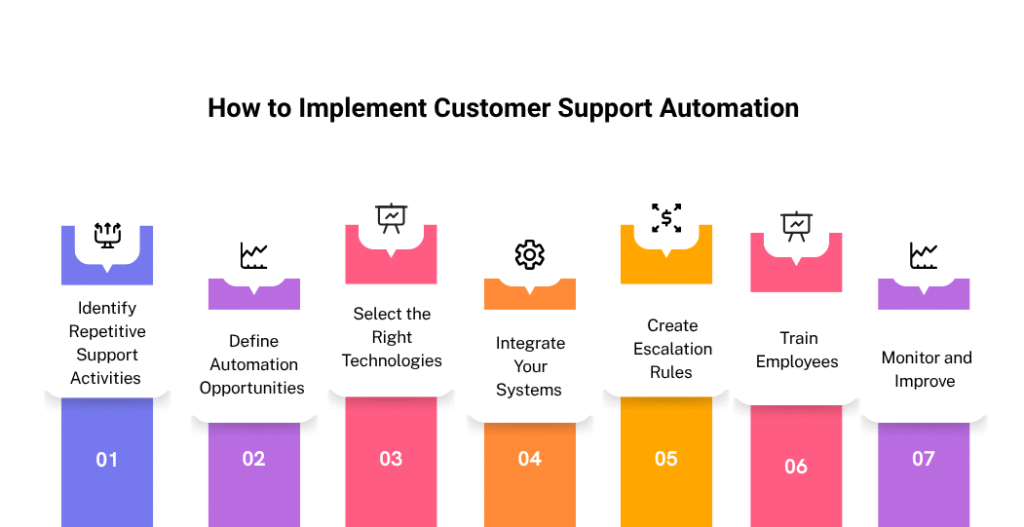
1. Identify Repetitive Support Activities
Start by reviewing the tasks your support team performs every day. Look for activities that follow the same steps repeatedly.
2. Define Automation Opportunities
Not every support activity should be automated. Identify processes that are repetitive, rule-based, and easy to standardize.
3. Select the Right Technologies
Choose tools based on your business requirements. Depending on your needs, this may include an AI chatbot, helpdesk platform, workflow automation solution, CRM, and reporting tools.
4. Integrate Your Systems
Connect the chatbot, helpdesk, CRM, and other relevant systems so information can move between them without unnecessary manual work.
5. Create Escalation Rules
Define when automation should stop and involve a human. For example, high-priority complaints, complex technical issues, or tickets that remain unresolved for a certain period can be escalated automatically.
6. Train Employees
Employees should understand how the automated system works and when they need to take over from automation.
7. Monitor and Improve
Track response time, resolution time, ticket volume, customer satisfaction, and other important metrics. Use these insights to improve your workflows over time.
Common Customer Support Automation Mistakes to Avoid
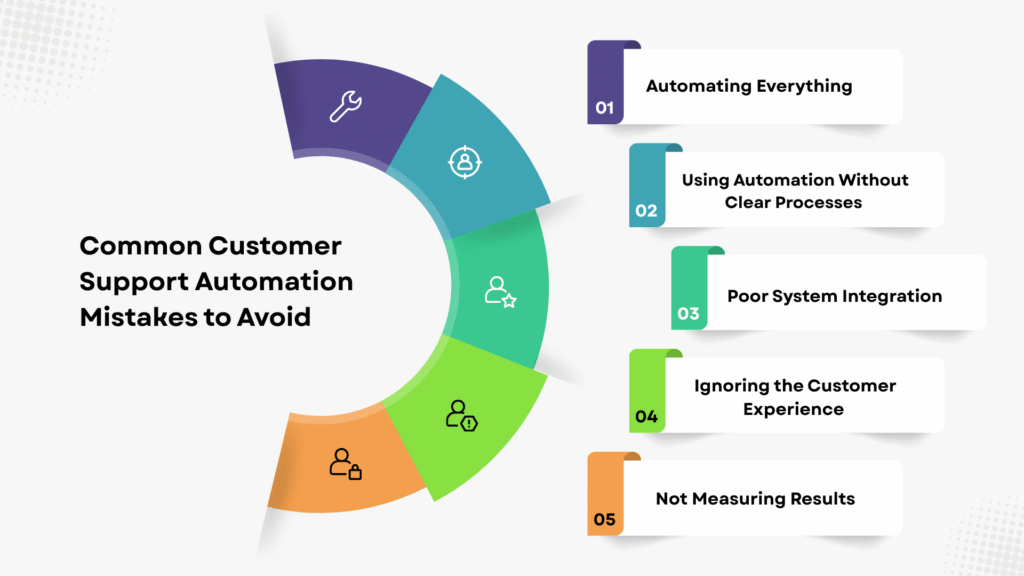
Automating Everything
Some customer issues require empathy, judgement, or detailed investigation. Keep human support available for these situations.
Using Automation Without Clear Processes
Automating an inefficient process does not automatically make it better. Review and simplify the process before automating it.
Poor System Integration
If customer information is spread across disconnected systems, agents may still need to enter data manually. Integration should be part of the automation plan.
Ignoring the Customer Experience
A chatbot that repeatedly gives irrelevant answers can frustrate customers. Make it easy for customers to reach a human when needed.
Not Measuring Results
Without tracking performance, it is difficult to know whether automation is actually improving support operations
Conclusion
Customer support automation is not about replacing people with technology. It is about creating a support process where technology handles repetitive work, and employees focus on problems that need human attention.
AI chatbots can handle initial customer interactions, helpdesk software can organize support requests, and workflow automation can move each request through the right process. When these technologies are connected with CRM and business intelligence systems, businesses can build a faster, more organized, and measurable customer support operation.
The right automation strategy starts with understanding your existing support process and identifying where technology can remove unnecessary manual work.
Looking to improve your customer support process? Codeflix helps businesses implement AI chatbots, helpdesk solutions, workflow automation, CRM, and business intelligence solutions to create more efficient and connected support operations.
FAQ
What is customer support automation?
Customer support automation uses AI, software, and predefined workflows to automate repetitive customer service tasks such as ticket creation, routing, responses, notifications, and escalations.
How does customer support automation work?
It connects different stages of the support process. A customer may start with an AI chatbot, while complex requests can create helpdesk tickets that are automatically categorized, assigned, prioritized, and escalated when required.
Does customer support automation replace support agents?
No. Customer support automation is designed to reduce repetitive work, not remove human support. Agents can focus on complex issues that require judgement, problem-solving, or personal attention.
What technologies are used in customer support automation?
Common technologies include AI chatbots, helpdesk software, workflow automation, CRM integration, and business intelligence tools.
What customer support tasks can be automated?
Businesses can automate ticket creation, ticket routing, FAQ responses, priority assignment, escalations, follow-up notifications, customer feedback collection, and support reporting.
What is the difference between an AI chatbot and a helpdesk?
An AI chatbot mainly interacts with customers and handles common questions. A helpdesk manages support tickets, assigns requests, tracks progress, and helps agents resolve customer issues.
What are the benefits of customer support automation?
Key benefits include faster responses, reduced manual workload, better ticket management, 24/7 assistance, fewer repetitive tasks, improved customer experience, and better visibility into support performance.
Is customer support automation suitable for small businesses?
Yes. Small businesses can start with simple automation, such as FAQ chatbots, automated ticket routing, and customer notifications, and expand their automation as support requirements increase.